# Office Cabling: 5 Expert Tips for Network Stability
When planning office renovations, many businesses focus their budget on interior design or expensive computer equipment, overlooking the nervous system hidden in the walls - structured cabling. Poor cabling not only causes slow speeds but leads to constant disconnections and system crashes. Here are 5 key cabling tips for a solid network foundation.
1. Choose the Right Cable Standard: Cat6 or Higher
While Cat5e still supports 1Gbps speeds, we strongly recommend Cat6 or Cat6a for future-proofing over the next decade. Cat6 offers better interference resistance and stable 10Gbps bandwidth over longer distances. In environments with electromagnetic interference, shielded cables (FTP/STP) are essential.
2. Follow Bend Radius and Routing Standards
The copper cores inside network cables are extremely精密. Excessive force during pulling or right-angle bends can damage the physical structure, causing return loss. Professional engineers ensure the bend radius is at least 4 times the cable diameter and that cables don't run parallel to electrical wires to prevent electronic noise interference.
3. Centralized Management with Patch Panels
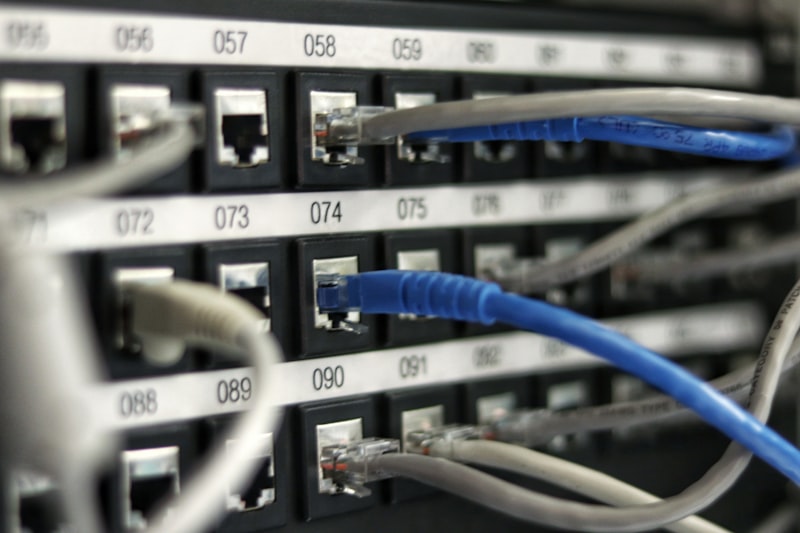
Never plug ceiling-drop cables directly into switches. The professional solution is to route all cables to a patch panel in the server rack. This: protects the permanent infrastructure from frequent plugging/unplugging, and enables tidy, labeled management for quick identification of different departments or locations.
4. Complete Labeling and Testing Reports
Many companies have no idea which cable connects to which workstation after cabling is complete. We insist on clear labeling for every cable and keystone jack. More importantly, a Fluke test report should be provided upon completion, proving that every cable's transmission speed, crosstalk levels, and physical length meet industry standards.
5. Allow Expansion Capacity
Office size often grows with business. During initial planning, each workstation should have at least two network ports (one for computer, one for IP phone or backup). Ceiling spaces should have sufficient trunking for future Wi-Fi AP or CCTV installations.
Conclusion
Cabling infrastructure is like a building foundation - once装修完成, replacement costs are extremely high. Rather than suffering unstable speeds later, choose Wifimaster.hk professional services from the start. With over 15 years of engineering experience, we ensure every cable delivers maximum value.
Need Further Technical Support?
Our experts are standing by.